
Email Design Adjuster
Give your WordPress emails a cleaner, branded design
Most WordPress emails are useful, but they often look plain, inconsistent, or unfinished. Email Design Adjuster lets you add a clear, branded email design around the messages your WordPress site already sends.
Add your logo, colours, sender details, footer text, safe email fonts and template styling from one simple settings screen. Send test emails before going live, redirect outgoing emails while testing, and keep your site emails looking more professional without rebuilding every email one by one.

Why this plugin exists
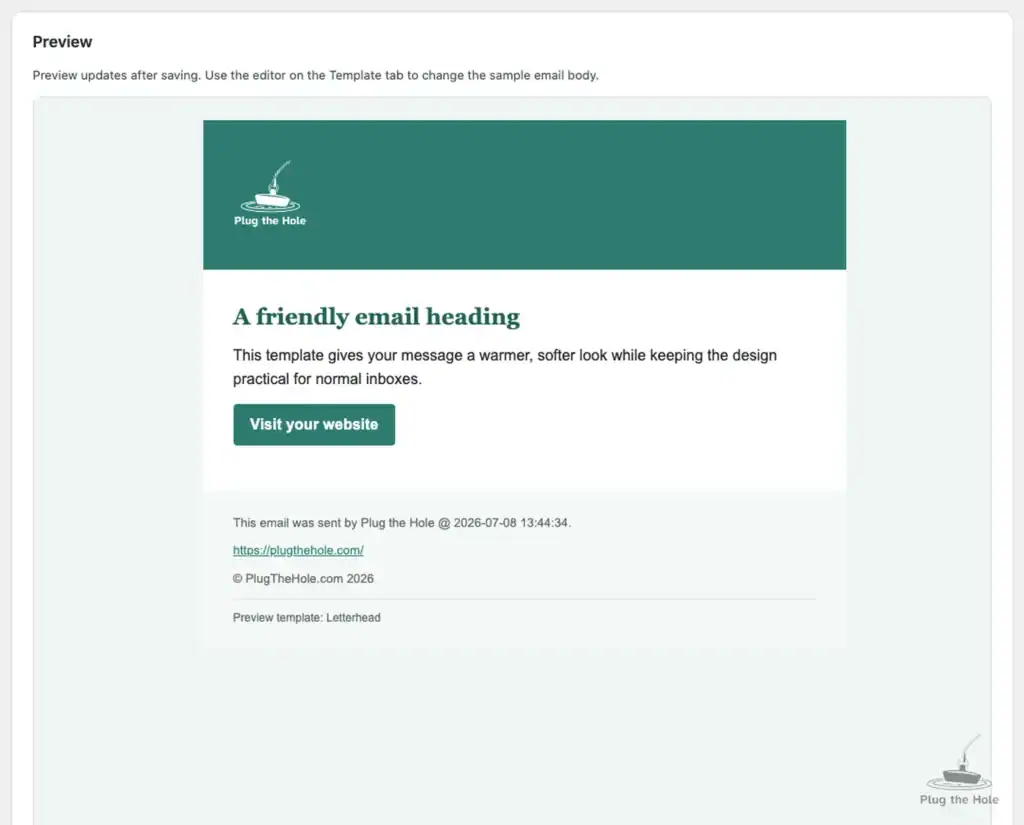
Your website can look polished, but the emails it sends can still feel basic. Password emails, admin notices, form alerts, account messages and plugin notifications often all look different.
Email Design Adjuster helps bring those emails into one consistent design, while still keeping the original message content intact.
What the Free version does
The Free version gives you the core email styling tools most sites need:
- Add a branded email wrapper around outgoing WordPress emails
- Upload or choose a logo
- Set brand colours, text colours, link colours and footer colours
- Choose safe email font stacks
- Control width, padding, spacing, logo height and header title size
- Use one of four locked Free starter templates
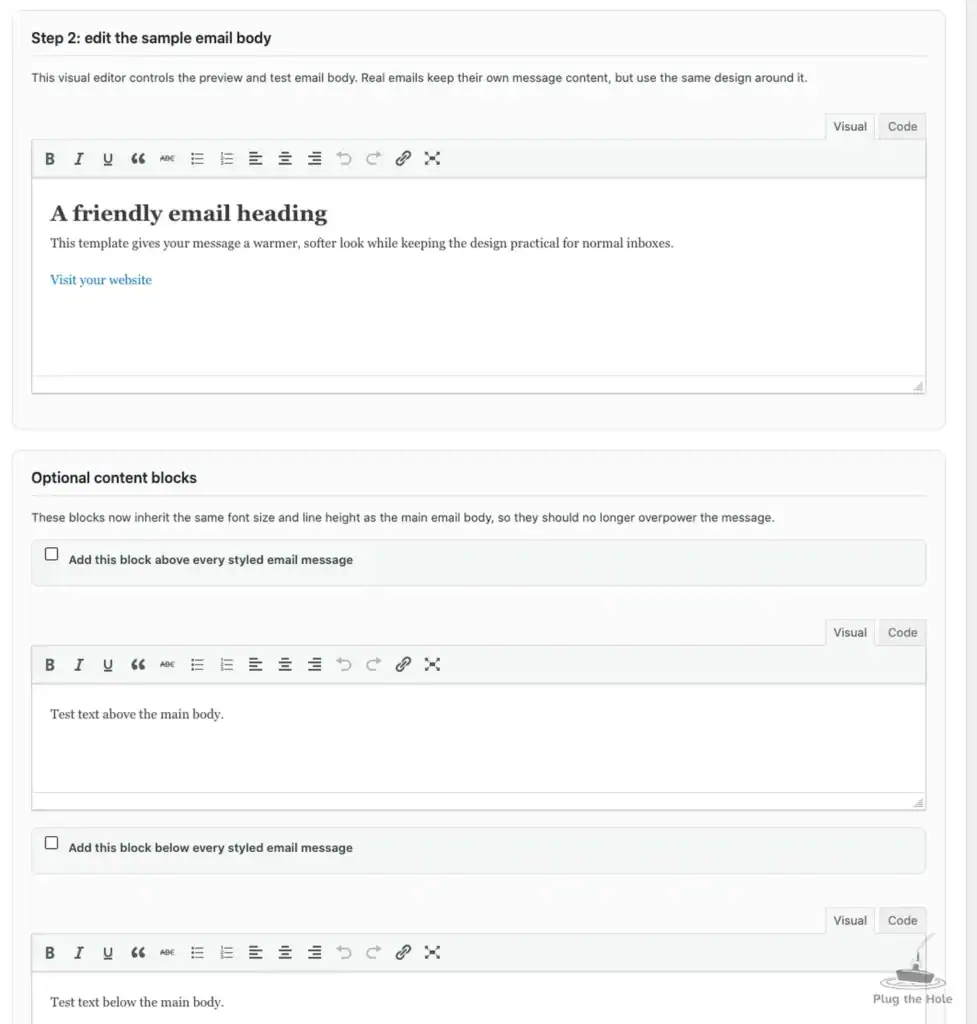
- Edit the sample preview email with the normal WordPress visual editor
- Send test emails before using the design live
- Redirect emails during testing so customers do not receive test messages
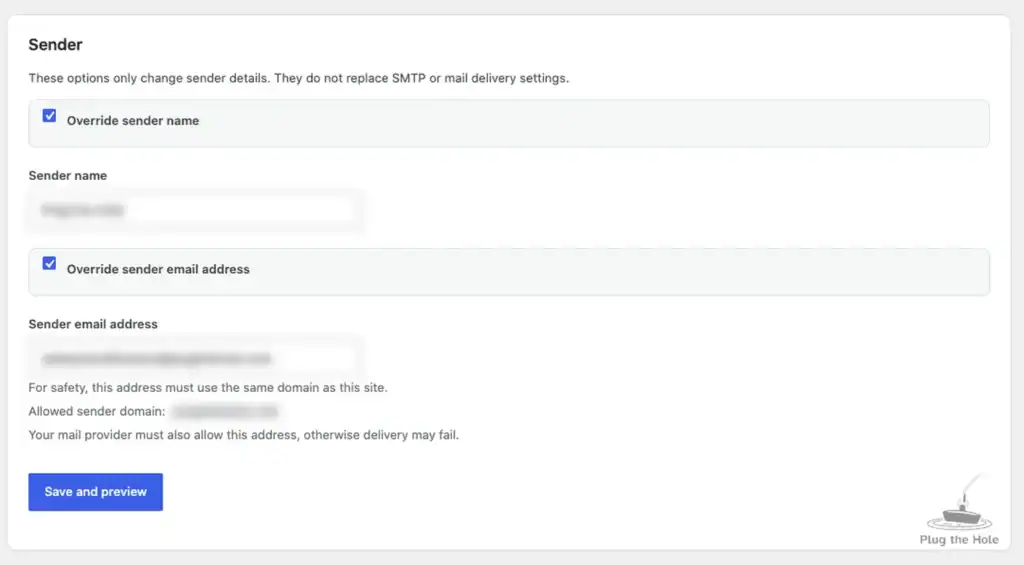
- Override sender name and sender email safely
- Restrict sender email override to the same domain as the website
- Avoid double wrapping where possible
- Better handling for plain text, HTML and plugin-generated emails
- Optional clean-up on deactivation



Designed for real WordPress emails
Email Design Adjuster is built to work with the normal WordPress email system. It wraps the message content that plugins and WordPress already send, instead of forcing you to rebuild every email from scratch.
It also includes extra handling for common problem cases, such as plugins that send HTML without setting the correct email content type.
Free templates
The Free version includes four starter templates:
- Clean
- Letterhead
- Minimal
- Soft Card
These templates are intentionally different, so you can start with a design style that fits your site, then adjust the colours, spacing, logo and footer from the interface.
Pro add-on
Email Design Adjuster Pro adds more control for sites, agencies and businesses that need a larger email design toolkit.
Pro features include:
- More template designs
- Template assignment rules
- Use different templates when subject or recipient rules match
- Custom JSON template upload
- Template export
- Pro template manager
- Privacy-aware email activity log
- Log retention controls
- Pro debug log for wrapping and routing decisions
- Advanced CSS field
- Hidden preheader text
Template assignment rules
Most sites can use one design for every email. Some sites need more control.
With Pro, you can keep one default design and use rules for special cases. For example:
- Use a security template when the subject contains “password”
- Use a receipt-style template when the subject contains “invoice”
- Use a support template when the subject contains “ticket”
- Use a different design for emails sent to a certain domain
The first matching rule wins, keeping behaviour predictable.
Built with safety in mind
Email is sensitive. A plugin that changes outgoing emails should be careful.
Email Design Adjuster includes practical safety features:
- Admin-only settings
- Nonce-protected actions
- Sanitised and escaped settings
- Sender override restricted to the site domain
- Template locks in the Free version
- Pro template access locked behind an active licence
- Full cleanup option on deactivation
- No uploaded webfonts, because many inboxes do not load them reliably
- No tracking pixels by default
Who is it for?
Email Design Adjuster is useful for:
- Business websites
- WordPress agencies
- WooCommerce and membership sites
- Content sites and publishers
- Support portals
- Client portals
- SaaS-style WordPress sites
- Any site that wants cleaner outgoing emails
Common use cases
Use it to improve emails such as:
- Password reset emails
- New user emails
- Admin notifications
- Plugin alerts
- Form notifications
- Security notices
- Account messages
- Website status emails
- Customer service messages
Free or Pro?
Start with Free if you want one clean email design for your whole site.
Choose Pro if you want more templates, template rules, custom templates, logging, debugging and advanced controls.

Better emails, less manual work
Email Design Adjuster helps your WordPress emails look more like they belong to your website, without needing to edit every plugin email separately.
Install it, choose a starting template, adjust the design, send a test email, then let WordPress keep sending messages as usual.
Created by PlugTheHole.com
Email Design Adjuster is created and maintained by PlugTheHole.com.
PlugTheHole.com builds practical WordPress tools, WHMCS add-ons and web utilities focused on safer workflows, clearer admin interfaces and useful day-to-day improvements for site owners, agencies and technical teams.
Learn more at https://plugthehole.com/
Independent product disclaimer
Email Design Adjuster is an independent plugin created by PlugTheHole.com.
This plugin is not affiliated with, endorsed by, sponsored by, or officially connected to WordPress, the WordPress Foundation, Automattic, WooCommerce, WHMCS, SEOPress, or any other third-party platform, plugin, service or company mentioned in the product copy, documentation or settings.
All product names, trademarks and registered trademarks belong to their respective owners. References to third-party products are included only to explain compatibility, use cases or integration behaviour.
FAQ
Does Email Design Adjuster send the emails?
No. Your site still sends emails through WordPress, your SMTP plugin, or your normal mail setup. Email Design Adjuster focuses on the design around those emails.
Will it work with WooCommerce, forms and security plugins?
It should work with many plugins that use the normal WordPress email system. Some plugins send emails in unusual ways, so testing is always recommended.
Can I test before sending to customers?
Yes. You can send test emails and use redirect mode while checking your design.
Is Pro required?
No. The Free version works on its own and includes the core design tools. Pro adds more templates, assignment rules, logging, custom templates and advanced controls.
Can Pro use a different template for certain emails?
Yes. Pro template assignment rules can apply a different template when the subject or recipient matches a rule.
Is it safe to override the sender email address?
The plugin restricts sender email override to the same domain as the website. This helps reduce abuse risk and avoids some delivery problems.